EchoPod help center
Start with a podcast or your own media, follow the transcript, and open word or sentence help only when needed. Use the sections below when something does not work as expected.
Get started
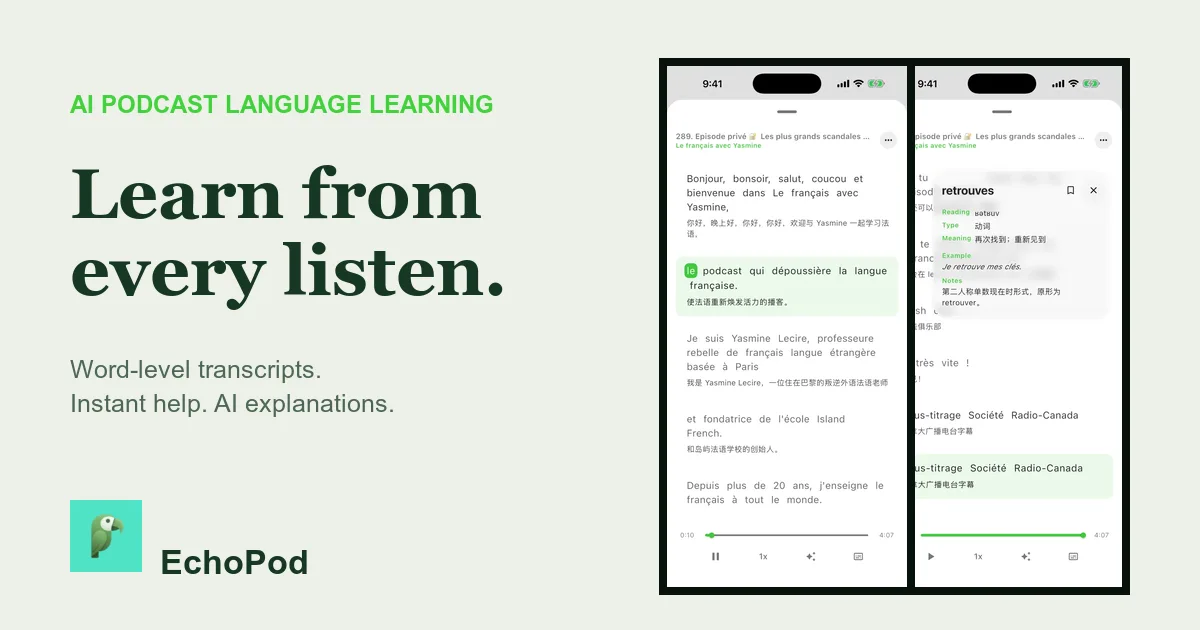
- Install EchoPod from the App Store on a device running iOS 16 or later.
- Choose a podcast, YouTube link, or supported local media source.
- Start playback and wait for the available transcript to load or finish processing.
- Tap a word for help or select a sentence for an AI explanation.
Troubleshooting
The transcript is missing or delayed
Confirm connectivity, wait for processing to complete, and try a clear source with audible speech. Long files, provider load, quota, or unsupported media can delay or prevent transcription.
A local import failed
Check that the file has a readable audio track, uses a supported audio/video extension, and produces a converted WAV smaller than 100 MB.
A YouTube link failed
Confirm that the URL is valid and publicly accessible. Private, age-restricted, regional, live, or otherwise unavailable media may not be retrievable.
The translation or AI answer looks wrong
AI and machine translation can make mistakes. Retry with more transcript context and verify important meaning with a trusted dictionary, teacher, or primary source.
Account and data
Account deletion is available through the app or by email, with a 28-day grace period described in the account deletion guide and the privacy policy. For access, correction, export, or deletion requests, email echopod@clothpath.com.